
When Grand Theft Auto VI (GTA 6) launches, one question will be on every console player’s mind: Which graphics settings should I use for the best experience?
Rockstar Games has always pushed console hardware to its limits. From the breathtaking landscapes of Red Dead Redemption 2 to the detailed streets of GTA V, the studio is known for delivering some of the best-looking games in the industry.
Now, GTA 6 promises to take things even further with a massive open world, realistic lighting, advanced weather systems, improved physics, and incredibly detailed environments.
If you’re planning to play on a PlayStation 5 or Xbox Series X, this guide explains the best graphics settings to help you enjoy the smoothest gameplay without sacrificing visual quality.
Does GTA 6 Have Graphics Modes?
Although Rockstar Games has not officially revealed every graphics option, modern AAA console games typically include multiple display modes.
Most players can expect GTA 6 to offer at least two primary graphics options:
- Quality Mode
- Performance Mode (if available)
Each mode is designed for a different type of player.
If you care about realistic visuals, choose Quality Mode.
If you prefer smoother gameplay, Performance Mode will likely be the better option.
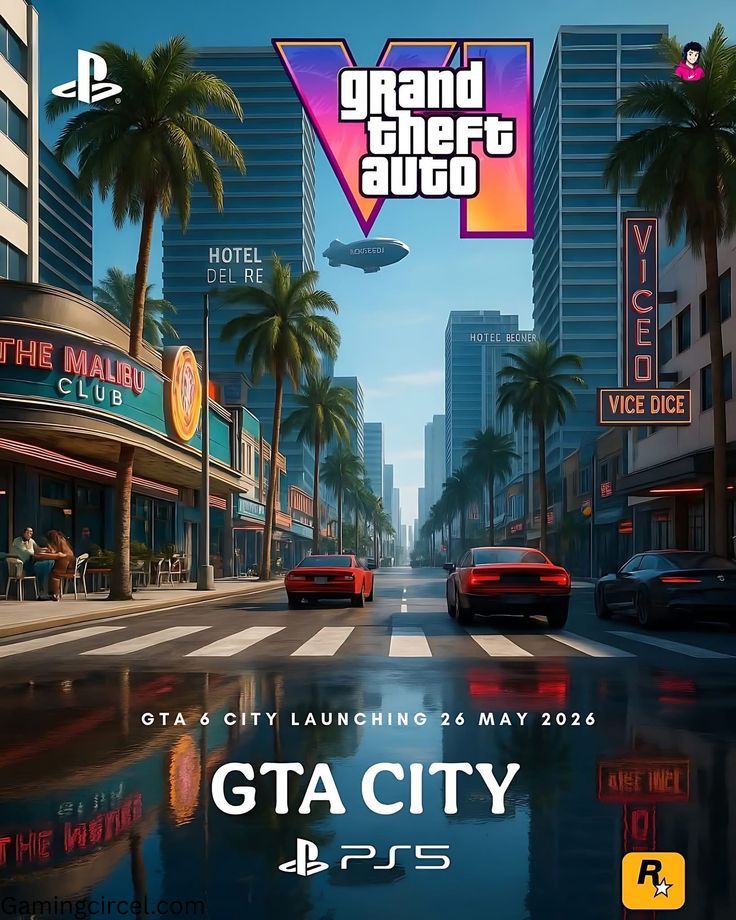
Quality Mode: Best for Stunning Visuals
Quality Mode is designed to showcase GTA 6 at its absolute best.
This mode prioritizes visual detail over higher frame rates.
Players can expect:
- Higher resolution
- Better shadows
- Improved reflections
- Enhanced ray tracing
- Greater environmental detail
- Better lighting effects
- Richer textures
If you enjoy exploring Vice City, taking screenshots, or simply appreciating Rockstar’s incredible world design, Quality Mode is probably the best choice.
Expected performance:
- Dynamic 4K Resolution
- 30 FPS
- Ray Tracing Enabled
- Maximum visual quality
For many players, this will be the most cinematic way to experience GTA 6.
Performance Mode: Best for Smooth Gameplay
Competitive players usually prefer smoother gameplay over maximum graphics.
If Rockstar includes a Performance Mode, it will likely reduce some graphical effects in exchange for higher frame rates.
Possible improvements include:
- Smoother driving
- Faster aiming
- Better combat responsiveness
- Reduced input delay
- More fluid movement
Expected performance:
- Dynamic 1440p to 4K
- Up to 60 FPS (if supported)
- Slightly reduced ray tracing
- Lower shadow quality
Although Rockstar has not confirmed 60 FPS, many gamers hope Performance Mode will make it possible on PS5 and Xbox Series X.
Which Graphics Mode Should You Choose?
The answer depends on how you like to play.
If you’re someone who enjoys the story, exploring every corner of the map, and admiring realistic graphics, Quality Mode is the clear winner.
On the other hand, if you spend most of your time driving at high speed, completing missions, or playing online, Performance Mode may provide a more responsive experience.
Fortunately, many modern console games allow players to switch between modes at any time, so you can experiment and decide which feels best.
Best Display Settings for GTA 6
Even if Rockstar doesn’t offer dozens of graphics options, adjusting your console and TV settings can noticeably improve the experience.
Enable HDR
If your television supports High Dynamic Range (HDR), turn it on.
HDR produces:
- Brighter highlights
- Deeper blacks
- More vibrant colors
- Better sunset and night scenes
Since GTA 6 is expected to feature dynamic weather and realistic lighting, HDR can make a significant difference.
Use a 4K Display
A 4K television allows you to experience GTA 6 with sharper textures and more detailed environments.
Vice City’s streets, beaches, skyscrapers, and vehicles will look far more impressive compared to a standard 1080p display.
Enable Game Mode
Most modern TVs include a Game Mode.
Turning this on reduces input lag, making driving, shooting, and character movement feel much more responsive.
This is one of the easiest improvements you can make before launch.
Ray Tracing: Is It Worth It?
Ray tracing creates more realistic reflections, shadows, and lighting.
Instead of using traditional lighting techniques, it simulates how light behaves in the real world.
In GTA 6, ray tracing could improve:
- Car reflections
- Water effects
- Glass buildings
- Neon lights
- Sunsets
- Interior lighting
The downside is that ray tracing usually requires more processing power.
That’s why many games disable or reduce ray tracing in Performance Mode to achieve higher frame rates.
If Rockstar follows the same approach, players will likely have the option to prioritize visuals or performance.
Will GTA 6 Look Better on Xbox Series X or PS5?
The PlayStation 5 and Xbox Series X have very similar hardware specifications.
Because of this, visual differences are expected to be extremely small.
Players on both platforms should enjoy:
- Excellent graphics
- Fast SSD loading
- Detailed environments
- Stable performance
- Advanced lighting effects
Some minor differences may exist depending on Rockstar’s optimization, but neither console is expected to have a major advantage.
What About PS5 Pro?
If you own or plan to buy a PS5 Pro, you may see:
- Higher internal resolution
- Improved ray tracing
- Better frame stability
- Sharper image quality
- Enhanced visual effects
However, these improvements are expected to be refinements rather than dramatic changes.
Players using the standard PS5 or Xbox Series X should still receive an outstanding GTA 6 experience.
Tips for the Best GTA 6 Experience
Before installing GTA 6, take a few simple steps to ensure the best possible performance.
Keep your console updated with the latest system software, as updates often improve stability and compatibility. Make sure you have enough free SSD storage because GTA 6 is expected to require a large installation. If your TV supports HDMI 2.1, use a compatible cable to unlock features like Variable Refresh Rate (VRR) and Auto Low Latency Mode (ALLM). Finally, enable HDR and Game Mode in your TV settings for improved visuals and lower input lag.
These small adjustments can make gameplay feel smoother and more immersive from the moment you start exploring the game.
Final Thoughts
GTA 6 is shaping up to be one of the most visually impressive games ever released, and both the PlayStation 5 and Xbox Series X are built to showcase Rockstar’s ambitious vision. Whether you choose Quality Mode for breathtaking graphics or Performance Mode for smoother gameplay, you’re in for an unforgettable experience.
The most important thing is to choose the settings that match your playstyle. If you love cinematic storytelling and exploring every detail of Vice City, prioritize visual quality. If you prefer fast-paced action, smoother controls, and responsive driving, performance-focused settings may suit you better.
No matter which option you select, one thing is clear: GTA 6 is set to redefine open-world gaming, and console players are ready to experience Rockstar’s biggest adventure yet.
FAQ’s
Will GTA 6 Be Better on PS5 or Xbox Series X?
Both the PlayStation 5 and Xbox Series X are powerful consoles, and Rockstar Games is expected to optimize GTA 6 for both platforms. In terms of gameplay, graphics, and content, there should be very little difference. The Xbox Series X has slightly more GPU power on paper, while the PS5 offers features like the DualSense controller with adaptive triggers and haptic feedback. For most players, the experience will be nearly identical, so the best choice depends on which console you already own.
What Is the Best Graphics Mode for GTA V on Xbox Series X?
For GTA V Enhanced Edition on Xbox Series X, the best graphics mode depends on your preference:
- Performance Mode: Up to 60 FPS with smooth gameplay. This is the best choice for most players.
- Fidelity Mode: Native 4K with ray tracing at 30 FPS for the highest visual quality.
- Performance RT Mode: Around 60 FPS with ray tracing enabled, offering a balance between visuals and performance.
If you want the smoothest gameplay, Performance Mode is generally the best option.
How Many FPS Is GTA 6 on Xbox Series X?
Rockstar Games has not officially confirmed the frame rate for GTA 6 on Xbox Series X. Most industry analysts expect the game to run at 30 FPS in its default Quality Mode because of its advanced graphics, realistic lighting, and large open world. If Rockstar introduces a Performance Mode, it may offer up to 60 FPS, but this has not been announced.
Will GTA 6 Run at 120 FPS on PS5?
No official information suggests that GTA 6 will support 120 FPS on PS5. Given the game’s expected graphical complexity, a 120 FPS mode is considered highly unlikely. Most experts believe Rockstar will prioritize visual quality over extremely high frame rates.
Will GTA 6 Give 60 FPS on PS5?
Rockstar has not confirmed whether GTA 6 will support 60 FPS on the standard PS5. Current expectations are that the game will launch at 30 FPS in Quality Mode. If Rockstar includes a dedicated Performance Mode in a future update or at launch, 60 FPS may be possible, but there is no official confirmation yet.
